SoundCraft comes from the ArtCraft team, which writes its apps clean-room: from public behaviour, never from Avid’s code or files. The idea is that engineers who know the Edit window, the Mix window, edit modes, playlists and memory locations can sit down and work. You can see for yourself without installing anything: open SoundCraft in your browser and play its demo song.
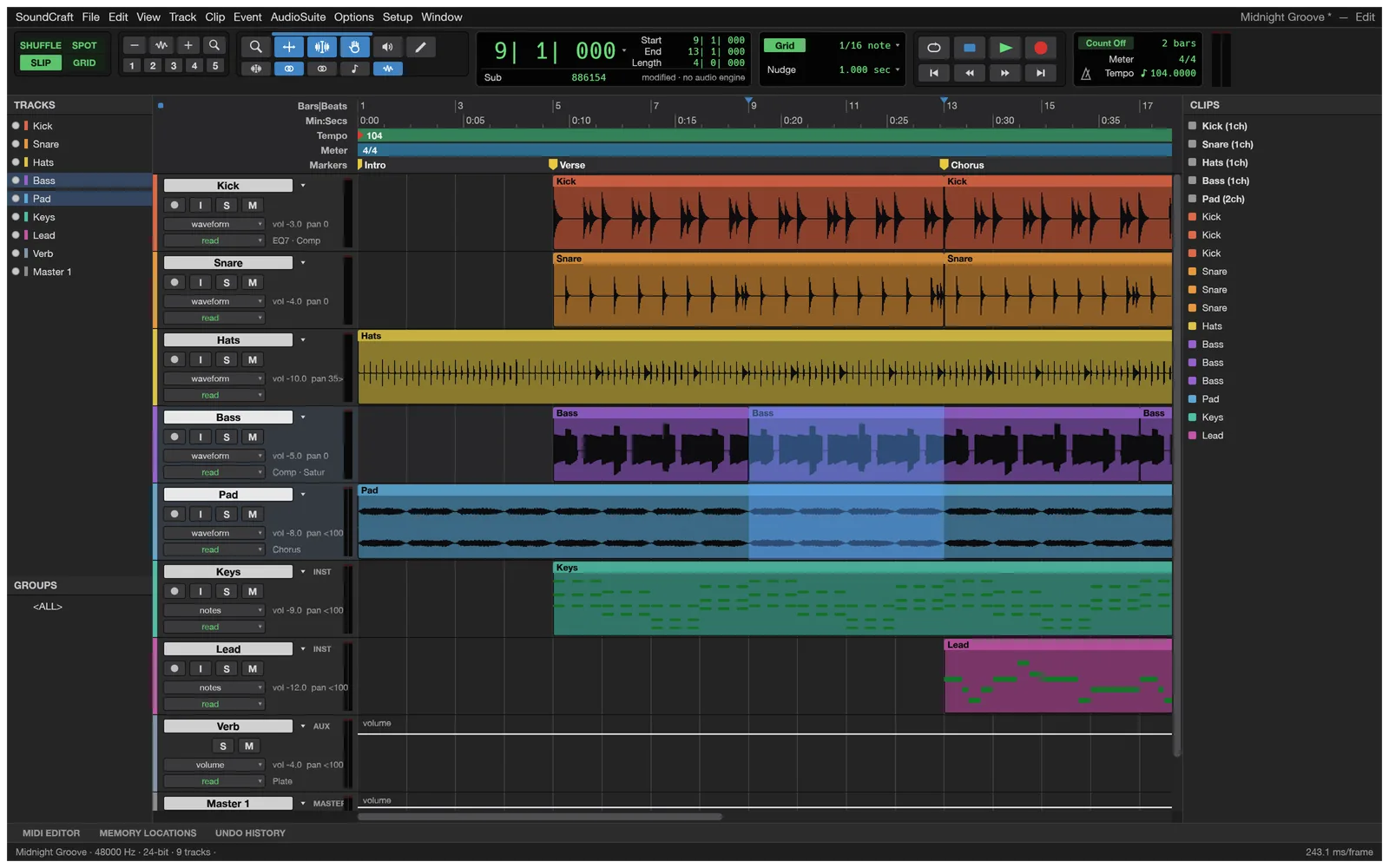
How close is SoundCraft to Pro Tools?
The project measures itself against Pro Tools Ultimate 2026.4.1 and publishes the numbers:
| Measure | Value |
|---|---|
| Pro Tools menu items that SoundCraft implements | 94 %, measured item by item |
| Features present, counting plugins, hardware and formats | about 70 %, estimated |
| Ready for real work, all of Pro Tools | about 40 %, estimated |
| Ready for someone making a song or podcast with the core features | about 57 %, estimated |
So the menus are almost all there, and recording, editing, mixing and bouncing work end to end in the desktop app. What holds it back is depth, hardware and exchange with other studios.
What carries over from the Pro Tools workflow?
| Area | In SoundCraft |
|---|---|
| Editing | Shuffle, Slip, Spot and Grid modes; Smart, Selector, Grabber, Trim, Pencil, Zoom and Scrubber tools; separate, heal, consolidate, strip silence, nudge; fades in five shapes; playlists with comping lanes; clip gain; edit groups; Commands Focus single keys |
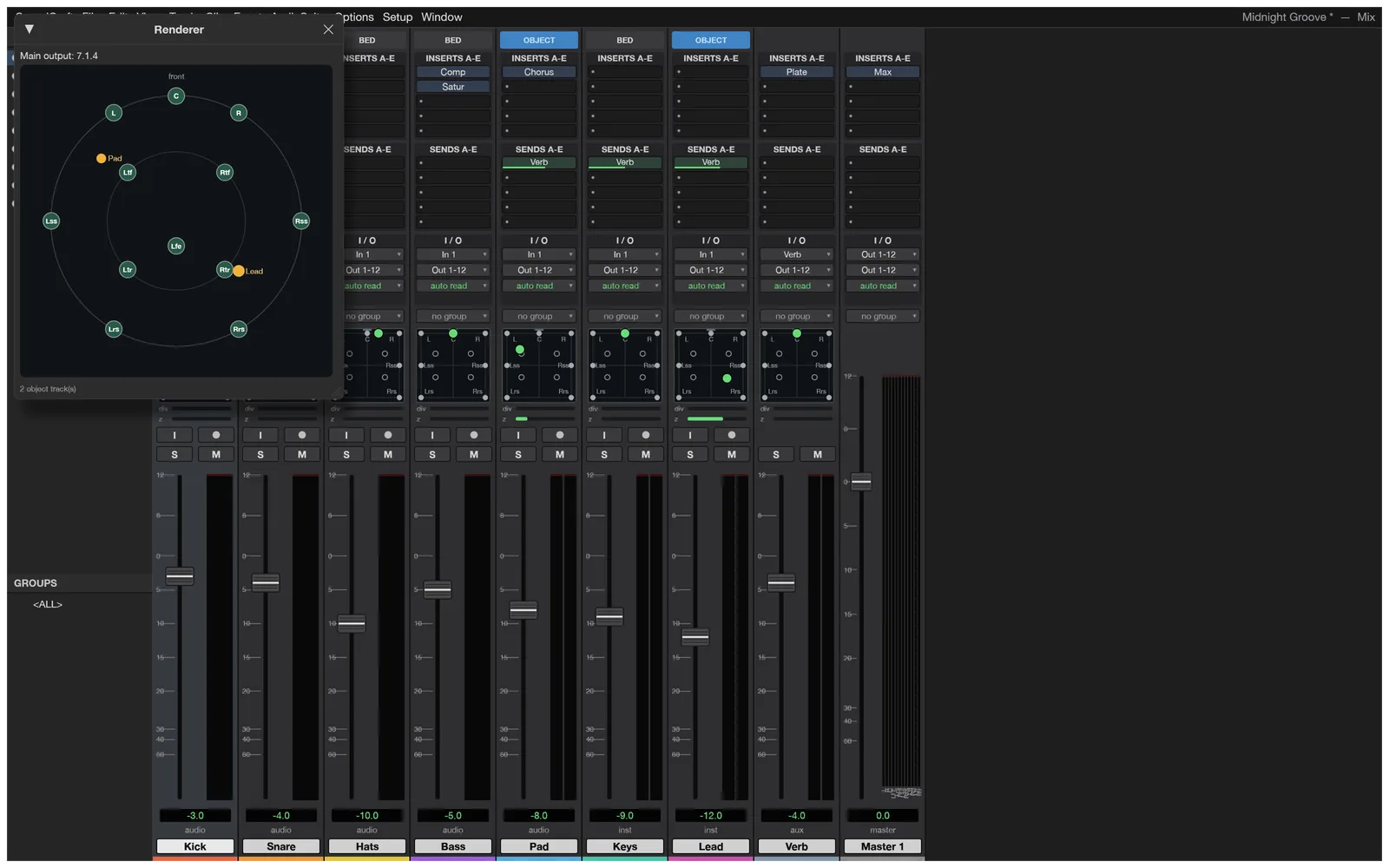
| Mixing | Ten inserts and ten sends per track, busses, aux inputs, master faders, VCAs, routing folders, solo-in-place with implicit solo, mute and solo groups, automatic plugin delay compensation |
| Automation | Volume, pan, mute, sends and every plugin parameter; Write, Touch, Latch and Trim passes; thin, glide, coalesce |
| Plugins | 24 built-in processors and 2 instruments (EQ, dynamics, reverbs, delay, modulation, saturation, pitch, utilities); any processor runs offline as AudioSuite |
| MIDI | Instrument and MIDI tracks, a piano roll with a velocity lane, event list, Score Editor, step input, quantize, transpose, Standard MIDI Files, Audio-to-MIDI |
| Time and tempo | Bars|Beats, Min:Secs, Timecode, Feet+Frames and Samples; tempo and meter maps with ramps; Beat Detective; pitch-preserving Elastic warping |
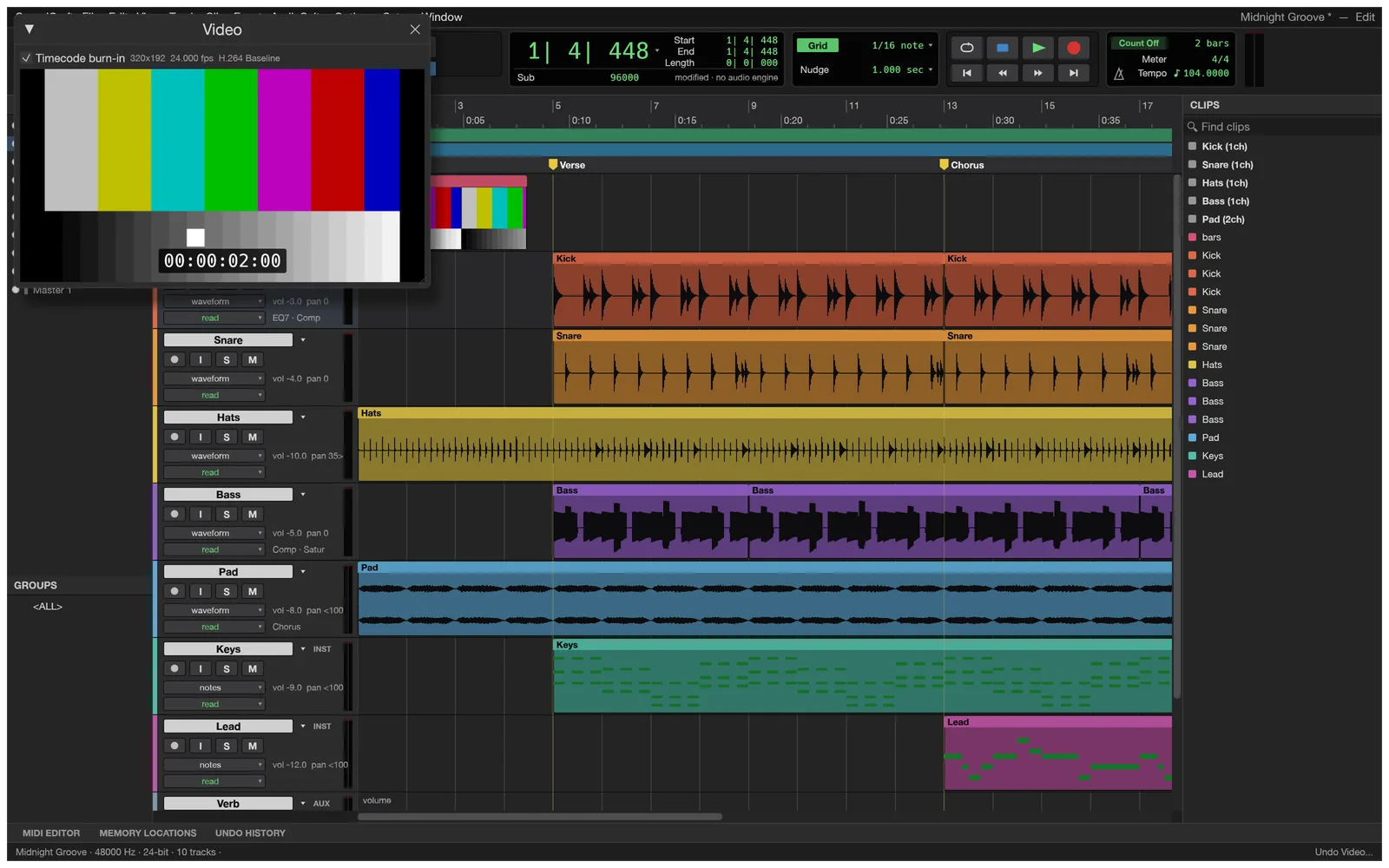
| Post and immersive | A video track decoding H.264, ProRes and Motion JPEG with timecode burn-in; formats from stereo to 9.1.6 and Ambisonics with object/bed routing |
What is still missing?
- Hardware choice. No picking an audio interface or buffer size yet; the desktop app uses the system device. No MIDI input or output at all, so no recording from a keyboard controller and no control surfaces.
- Session exchange. No Pro Tools
.ptxsessions and no AAF/OMF, so trading sessions with a Pro Tools studio means exporting stems. - AAX plugins and sidechains. CLAP, VST3 and Audio Units (macOS) instead, and no sidechain input in any of them. The signed macOS release currently refuses third-party VST3 plugins, a known issue.
- Languages. English only for now.
- Maturity. The project calls itself pre-alpha and tracks open bugs in features counted as done. Keep backups.
Should you use the browser or the desktop app?
The browser version is the same program compiled to WebAssembly, but a web page gets no file or device access, so it is for trying and learning.
| Browser (soundcraft.run) | Desktop app | |
|---|---|---|
| Edit, mix, automate, MIDI, built-in plugins | Yes, on the demo song or an empty session | Yes |
| Import your audio, MIDI or video | No | Yes |
| Record | No | Yes, through the system audio device |
| Save sessions | No: closing the tab loses changes | Yes, with autosave and recovery |
| Bounce to WAV, AIFF or FLAC with LUFS readout | No | Yes |
| CLAP, VST3, Audio Units | No | Yes |
| Scripting and AI agents (MCP) | No | Yes |
Who is SoundCraft for right now?
- Learners who want to practise the Pro Tools style of editing and mixing for free. The browser version is enough for that.
- Linux and FreeBSD users who want this workflow on their own system.
- Song and podcast makers working in the box with the built-in plugins, their own CLAP or VST3 plugins, and the system audio device.
- Developers and agent builders: every action is a command that scripts and AI agents can run.
If your work depends on a specific interface and buffer size, MIDI controllers, AAF/OMF hand-offs or AAX plugins, keep your current setup for now and check back with later releases. This site always runs the latest one (v0.5.0 today).
How do you try it?
- Open SoundCraft at soundcraft.run/editor. The first visit downloads about 4 MB; after that it opens from your browser’s cache.
- Click once into the app, then press Space. Browsers only start sound after a click or key press.
- Find your way around. ⌘= (Ctrl+= on Windows) switches between the Edit and Mix windows; F1 to F4 change edit modes. The shortcut list has the rest.
- When you want to work on your own audio, download the desktop app for your system.
FAQ
Is SoundCraft really free?
Yes. It is open source under MIT OR Apache-2.0, with no account, no subscription and no watermark. The licence covers the software and puts no conditions on the music you make with it.
Can SoundCraft open my Pro Tools sessions?
No. It cannot read or write Pro Tools .ptx sessions, and AAF/OMF exchange is still missing. It imports audio in common formats (WAV, AIFF, FLAC, MP3, Ogg Vorbis, AAC, ALAC, CAF) and Standard MIDI Files, so you can rebuild a session from its stems in the desktop app.
Do my AAX plugins work?
No. SoundCraft hosts CLAP, VST3 and, on macOS, Audio Units plugins. AAX needs Avid’s SDK licence and signing, and the project lists it as unlikely. Most plugin makers also ship VST3 or AU versions.
Can I record with my audio interface?
In the desktop app you can record, with punch-in, pre/post-roll and loop recording, through the system’s audio device. Choosing a specific interface and buffer size is not there yet, and recording MIDI from a keyboard controller is missing too. The browser version cannot record at all.
Is it the same as Pro Tools Intro or Pro Tools Artist?
No. SoundCraft is not made by Avid and is not a version of Pro Tools. It is an independent, clean-room reimplementation that follows the same workflow.
Sources: the SoundCraft README and its parity assessment, which the project keeps up to date.