SoundCraft is an open-source digital audio workstation, written in Rust, that follows the Pro Tools way of working. Open it here and you get the Edit and Mix windows, plugins, automation and MIDI, playing a nine-track demo song made entirely by SoundCraft.
SoundCraft web build v0.5.0 · released Oct 11, 2026 · about 4 MB, then opens from cache
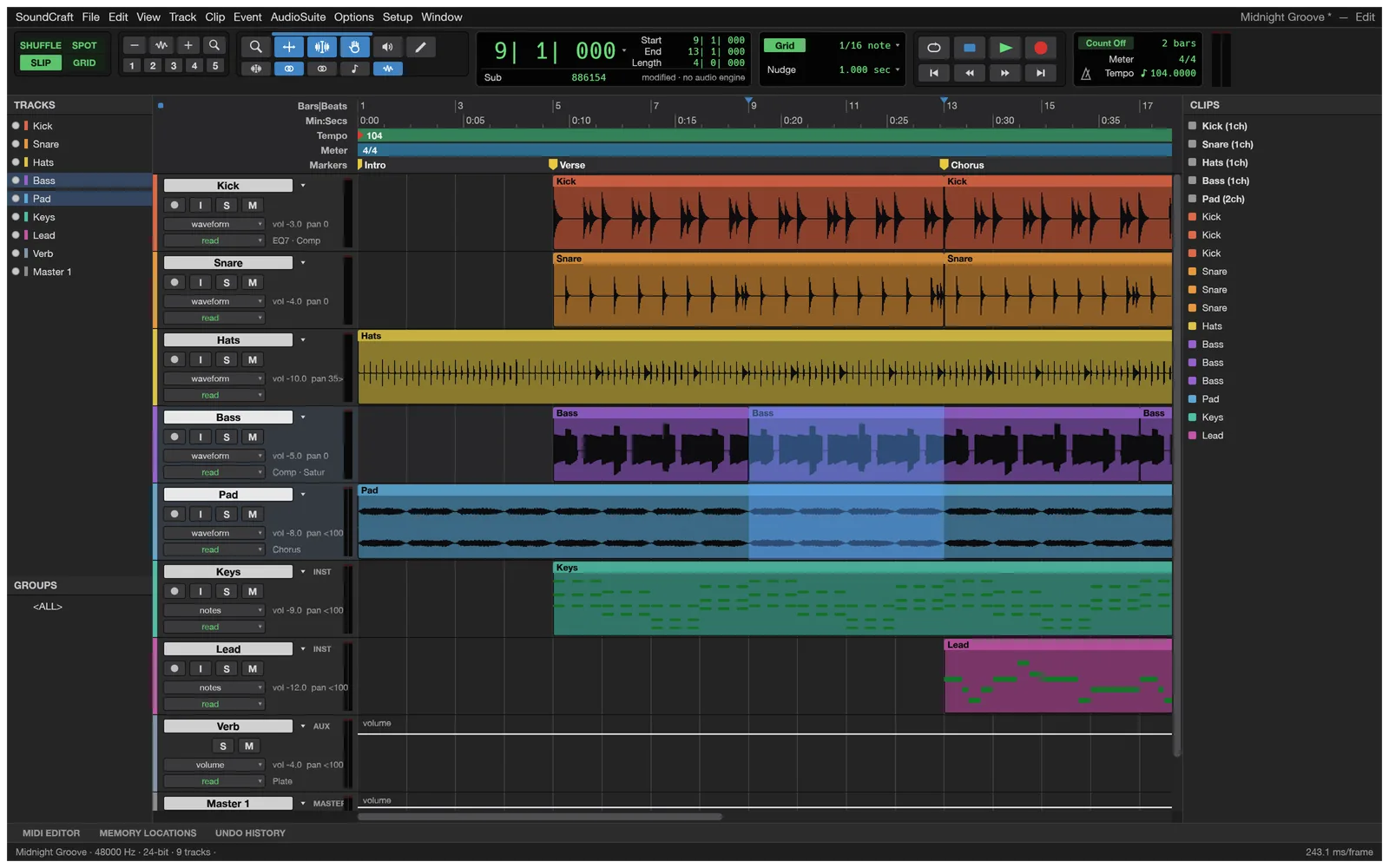
The Edit window playing the demo song, “Midnight Groove”: tracks, waveforms, MIDI, rulers, markers and the transport. Screenshot from the SoundCraft project.
94 % of the menusPro Tools menu items SoundCraft implements, as measured by the project
26 built-in plugins24 processors and 2 instruments, all original
10 + 10Inserts and sends on every track
Pre-alphaFree and open source, improving with every release
In the app
Edit and mix the way studios do
The Edit window has the Shuffle, Slip, Spot and Grid modes and the Smart, Selector, Grabber, Trim, Pencil, Zoom and Scrubber tools; ⌘= (Ctrl+= on Windows) flips to the Mix window. Playlists with comping lanes, clip gain, fades and undo for everything are there too.
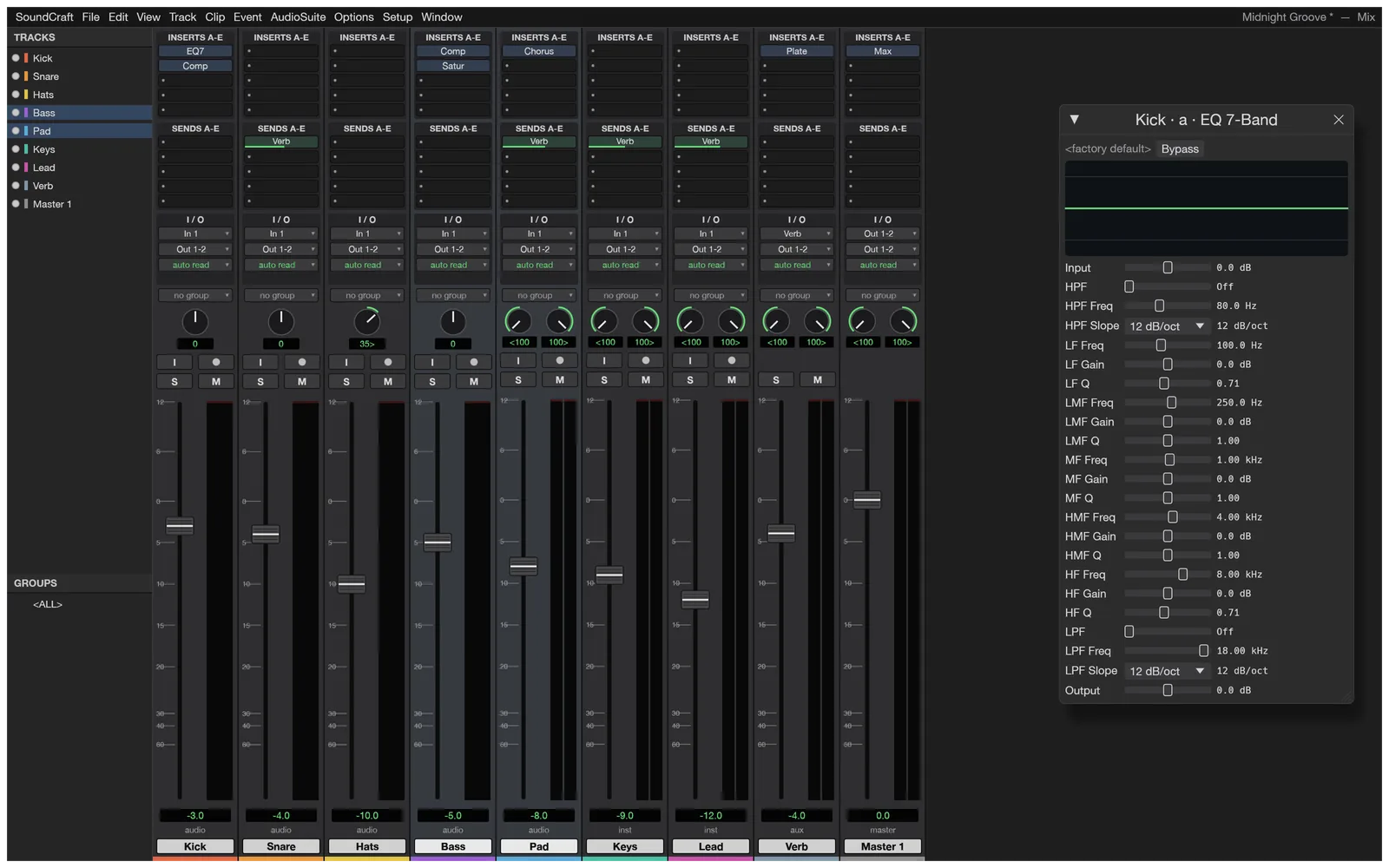
A full Mix window
Ten inserts and ten sends per track, busses, aux inputs, master faders, VCAs and routing folders, solo-in-place with implicit solo, and meters with peak hold. 24 built-in plugins cover EQ, dynamics, reverb, delay, modulation, saturation and pitch.
Screenshot from the SoundCraft project
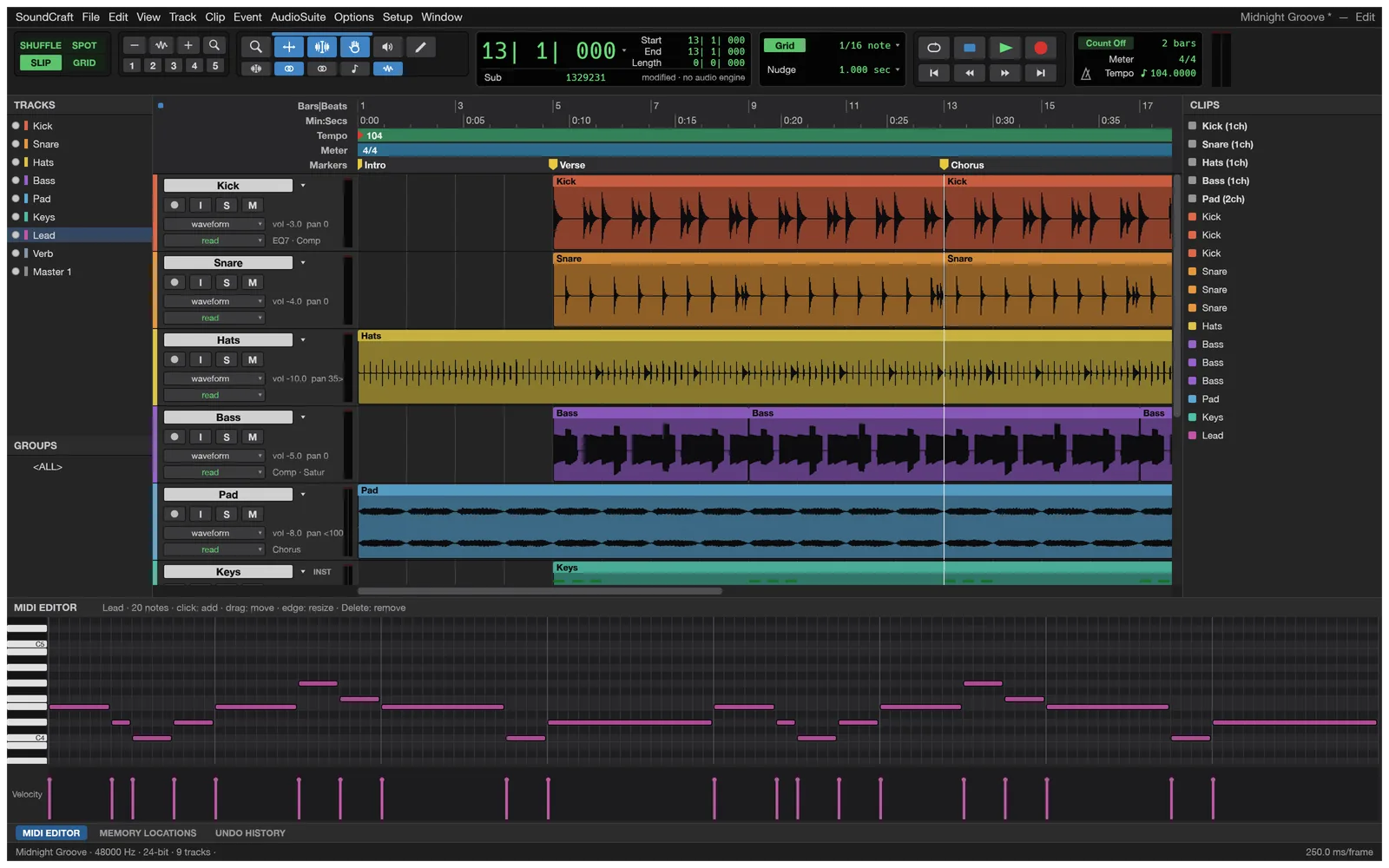
MIDI and instruments
Instrument tracks play 2 built-in instruments, a subtractive synth and a drum synth. Write parts in the piano roll with a velocity lane or by step input, then quantize and transpose them.
Screenshot from the SoundCraft project
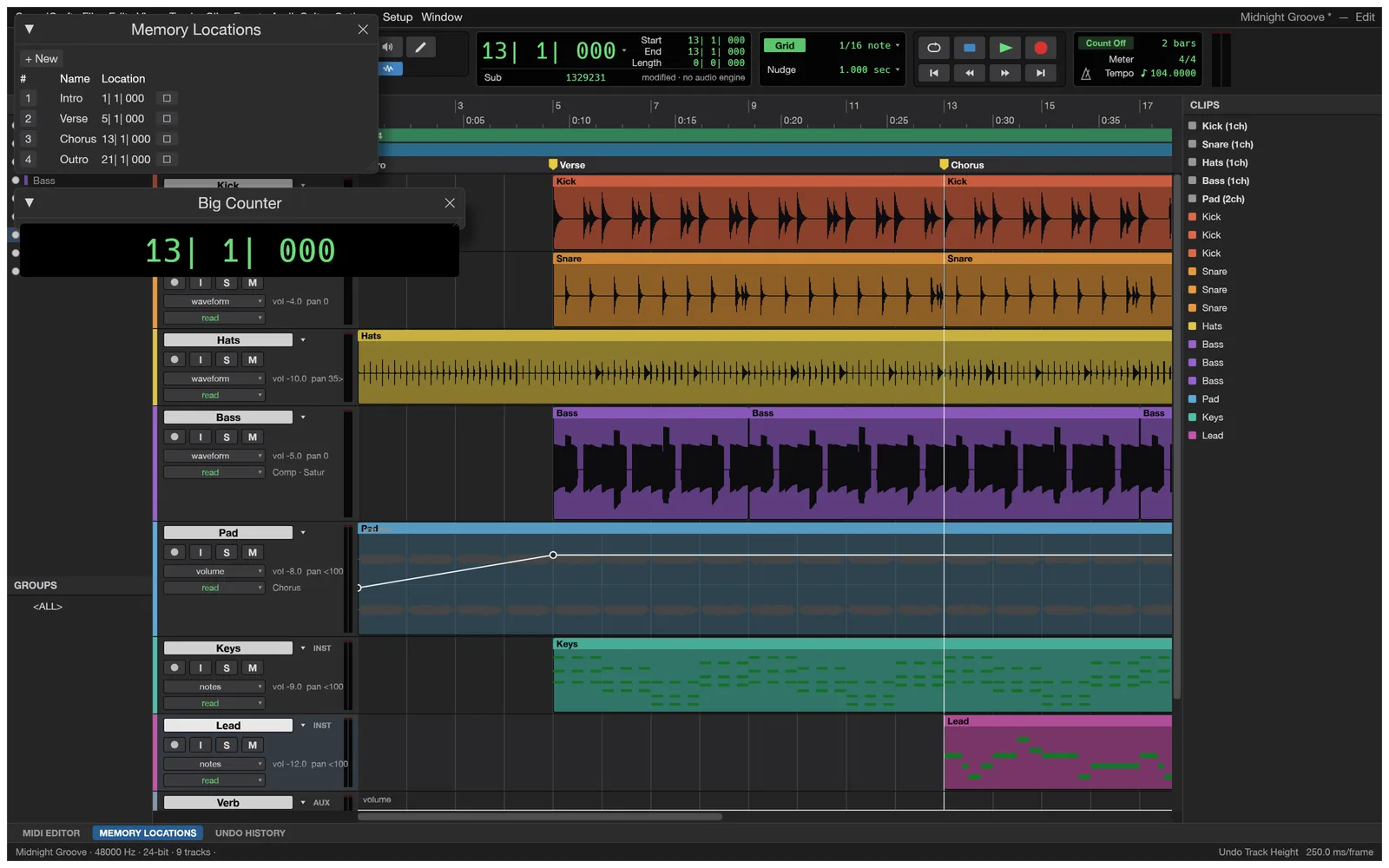
Automation and markers
Breakpoint automation for volume, pan, mute, sends and every plugin parameter, drawn with the Pencil or written live in Write, Touch and Latch. Memory locations and a big counter keep you oriented.
Screenshot from the SoundCraft project
A score view
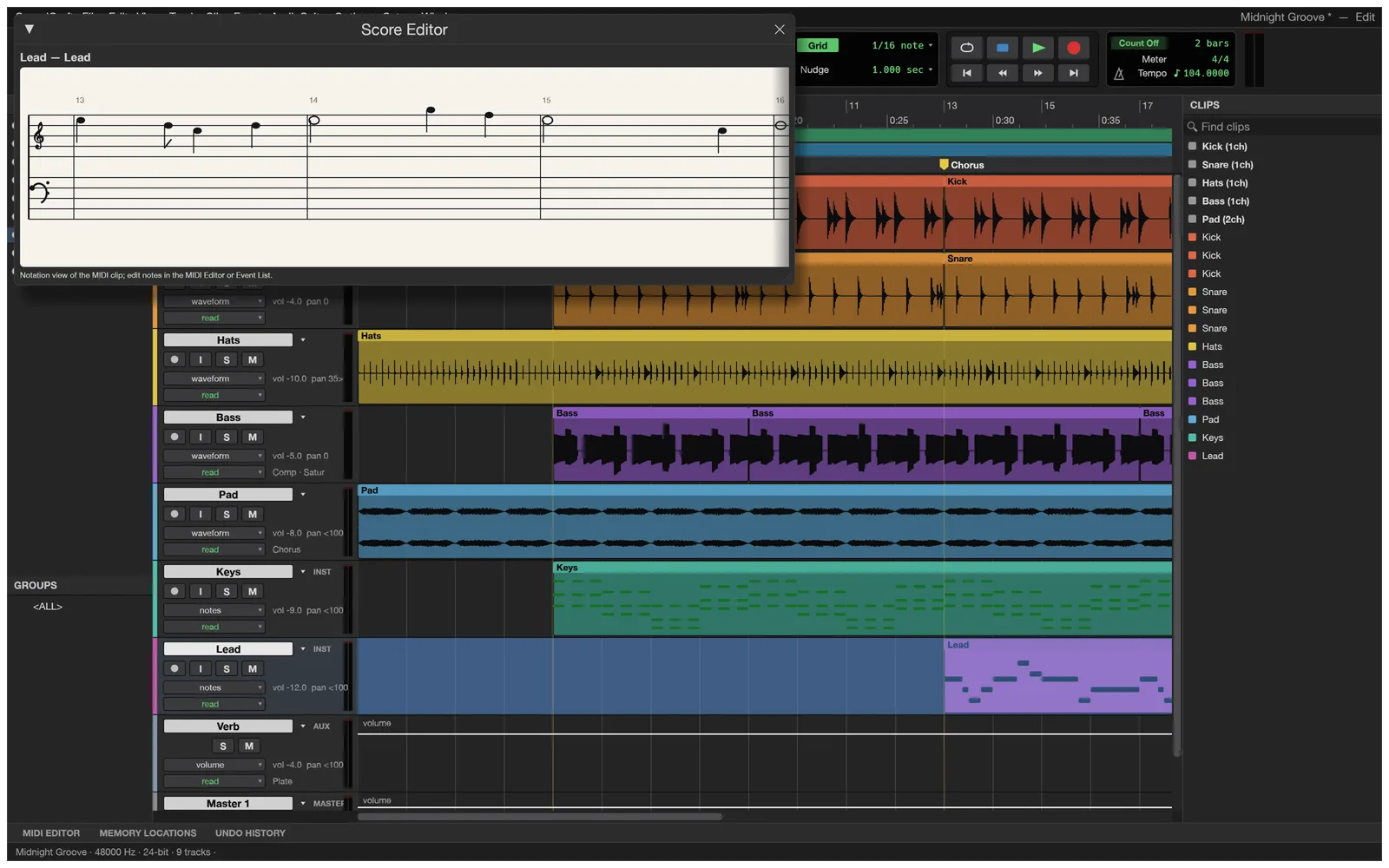
The Score Editor shows MIDI tracks in standard notation. In the desktop app you can also export MusicXML for Sibelius and other notation programs, or print the score.
Screenshot from the SoundCraft project
Browser or desktop
What the browser version can and can’t do
It is the same app compiled to WebAssembly, but a web page gets no file or device access. Use it to learn and try; install the desktop app to work on your own audio.
Open the AI panel next to the app, paste an OpenAI, Google Gemini or OpenRouter key, and ask how to do something or how to fix a mix. Answers use SoundCraft’s real menus, shortcuts and plugin controls, taken from its source code.
Requests go from your browser to the provider. We never see your key or your questions, and we add no markup.
Mixing helpVocal chains, punchier drums, reverb sends, with starting values
How-to stepsThe menu paths and shortcuts to get there, Mac and PC
Knows its limitsTells you when something needs the desktop app
This site
What soundcraft.run adds
The app is the unmodified web build from SoundCraft’s GitHub release. Around it we add a few things the bare build doesn’t have.
Always the latest release
Each new SoundCraft release is checked against its published SHA-256 checksum and deployed here. You are on v0.5.0.
Demo song or empty session
One switch in the top bar starts a blank session instead of the demo, without remembering URL flags.
An AI assistant on your own key
Mixing and how-to answers from OpenAI, Gemini or OpenRouter models, straight from your browser.
Nothing to sign up for
No account and no upload. Close the tab and nothing of yours is left on a server.
Getting started
Three steps
Open SoundCraft. The first visit downloads the app, about 4 MB compressed; after that it opens from your browser’s cache.
Click once into the app, then press Space. Browsers only start sound after a click or key press. Turn your volume down first.
Explore. Solo a track, move a fader, add an insert, draw automation. ⌘= (Ctrl+= on Windows) switches between the Edit and Mix windows; see the shortcut list for the rest.
SoundCraft is pre-alpha software. The browser version keeps nothing: when you close or reload the tab, your changes are gone.
FAQ
Questions
Is SoundCraft Online free?
Yes. SoundCraft is free and open source, there is no account and no time limit. The optional AI assistant uses your own AI provider key, so any AI usage is billed by your provider, not by us.
Can I import my own audio or record in the browser?
No. A web page gets no file or audio-input access from this build: the browser version plays the built-in demo song or starts an empty session, and can’t import, record, save or bounce. The free desktop app for Windows, macOS, Linux and FreeBSD does all of that.
Is my work saved?
Not in the browser. Everything you change is lost when you close or reload the tab, so treat the browser version as a place to learn and try things. The desktop app saves sessions and autosaves with recovery.
Is this Pro Tools?
No. SoundCraft is an independent, clean-room open-source project that follows the Pro Tools workflow. It is not made by Avid, and it cannot open Pro Tools .ptx sessions.
Why don’t I hear anything?
Browsers only start audio after you click or press a key on the page. Click once inside the app, then press Space. Check your volume first: start low.
Which browsers work?
A current Chrome, Edge, Firefox or Safari on a computer. SoundCraft draws its interface with WebGPU and falls back to WebGL2 on its own. It is built for a mouse, a keyboard and a large screen.
Can I use my VST plugins?
Not in the browser, which has only the built-in plugins. The desktop app hosts CLAP, VST3 and, on macOS, Audio Units plugins.
Press play on the demo song
Free, nothing to install, and already loaded on your next visit.